

 Destinatons
 Europe
 Car Rental Guide
 Travel Tips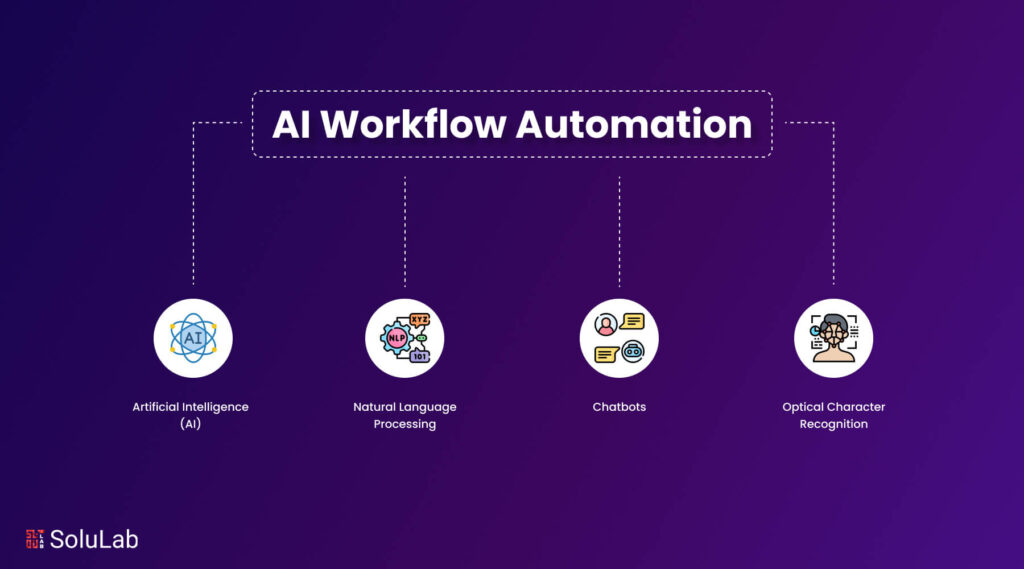
Table of Contents
- 1 The Growing Need for Automation
- 2 What Is AI Workflow Automation?
- 3 How AI Workflow Automation Works
- 4 Real-World Examples of AI Workflow Automation
- 5 Benefits of AI Workflow Automation
- 6 Popular Tools for AI Workflow Automation
- 7 Challenges of AI Workflow Automation
- 8 How to Start Using AI Workflow Automation
- 9 The Future of AI Workflow Automation
- 10 Final Thoughts
The Growing Need for Automation
In today’s fast-paced digital world, businesses are under constant pressure to do more with fewer resources. Teams handle emails, customer requests, data entry, reporting, and marketing campaigns every day. These repetitive tasks consume valuable time that could be spent on strategic work.
This is where AI workflow automation becomes a game-changer. For example, platforms like Content Harmony help teams automate SEO planning workflows, while tools like Zapier allow businesses to connect multiple apps and automate repetitive tasks.

If you’re like me - someone who’s trying to live greener without giving up convenience - you’ve probably realized one Read more
SlimQ GaN Charger Review (2025) — Compact Power, Real Performance + 10% OFF (NT1309) Short summary: SlimQ offers a modern Read more

🌎Finding the Right Way to Clean - The Green Way Making our world a better place by reducing plastic waste Read more

Have you ever wanted a t-shirt, hoodie, tote bag, or even a water bottle with a design that is stylish, Read more
Instead of manually performing routine tasks, businesses can design workflows that automatically execute actions using artificial intelligence. From sending emails to processing customer requests, AI can handle entire sequences of tasks without human intervention.
As companies continue to adopt digital tools, AI workflow automation is quickly becoming one of the most valuable technologies in modern business operations.
What Is AI Workflow Automation?
AI workflow automation refers to the process of using artificial intelligence to automatically complete a series of tasks based on predefined triggers and conditions.
A workflow is simply a sequence of steps required to complete a task.
For example:
- A customer fills out a form
- The system sends a confirmation email
- Customer data is stored in a database
- A notification is sent to the sales team
Without automation, each of these steps would require manual work. With AI workflow automation, the system performs all steps automatically.
This significantly reduces human workload and increases operational efficiency.
How AI Workflow Automation Works

AI workflow automation typically follows a structured flow consisting of triggers, actions, and logic.
Let’s break it down into simple components.
1. Trigger (Starting Point)
A trigger is the event that starts the workflow.
Examples include:
- Receiving a new email
- Submitting an online form
- Adding a new customer
- Completing a purchase
Once the trigger occurs, the automation workflow begins.
2. Logic (Decision Making)
AI systems analyze data and determine the next action.
Examples:
- If the customer is new → Send welcome email
- If the request is urgent → Notify manager
- If payment fails → Send reminder
This logic allows workflows to adapt to different situations.
3. Action (Execution)
After processing the logic, the workflow performs actions automatically.
Examples include:
- Sending emails
- Updating spreadsheets
- Assigning tasks
- Generating reports
This is where the automation actually saves time.
Real-World Examples of AI Workflow Automation
AI workflow automation is widely used across industries. Here are some common use cases.
Customer Support Automation
Customer support teams often handle repetitive questions such as order tracking, refunds, or account setup.
With AI workflow automation:
- Customer submits a request
- AI categorizes the issue
- A response is generated
- If needed, the request is assigned to an agent
This reduces response time and improves customer satisfaction.
Marketing Automation
Marketing teams rely heavily on workflows to manage leads and campaigns.
Examples include:
- Automatically sending follow-up emails
- Segmenting customers based on behavior
- Scheduling social media posts
- Tracking campaign performance
Many marketing teams rely on tools like Fedica, Statusbrew, and EasyPromos to automate social publishing, campaign workflows, and audience engagement. AI helps optimize these workflows and improves targeting accuracy.
Sales Pipeline Automation
Sales teams benefit significantly from automated workflows.
Example workflow:
- Lead fills out contact form
- CRM records lead details
- Sales representative is notified
- Follow-up email is sent automatically
This ensures no leads are missed. Tools such as Capsule CRM help businesses automate lead tracking and sales workflows, ensuring customer data is properly managed.
HR and Recruitment Automation
HR departments use automation to simplify hiring processes.
Examples:
- Automatically screening resumes
- Scheduling interviews
- Sending onboarding documents
This reduces administrative workload and speeds up hiring. Companies managing distributed teams often use platforms like Remote to automate payroll, onboarding, and global workforce management.
Benefits of AI Workflow Automation
There are several reasons why businesses are adopting AI workflow automation at a rapid pace.
Saves Time
Manual tasks take time.
Automation eliminates repetitive work and allows employees to focus on high-value activities.
Many businesses report saving 10–30 hours per week using automation workflows.
Reduces Errors
Human errors often occur during repetitive tasks such as data entry.
Automation ensures consistent results and improves accuracy.
Improves Productivity
When workflows run automatically, teams can handle more tasks without increasing workload.
This leads to better performance and faster execution.
Enhances Scalability
As businesses grow, workloads increase.
Automation allows companies to scale operations without hiring additional staff.
Improves Customer Experience
Faster response times and accurate workflows lead to better customer satisfaction.
Customers receive responses quickly and consistently.
Popular Tools for AI Workflow Automation
Several tools make it easy to build automated workflows without coding.
Here are some popular options widely used today.
Zapier
Zapier is one of the most beginner-friendly automation tools available.
Key features:
- Connects thousands of apps
- Simple drag-and-drop workflow builder
- Ideal for small businesses
Zapier is often the first choice for beginners exploring automation.
Make (formerly Integromat)
Make is a powerful automation platform with advanced workflow capabilities.
Key features:
- Visual workflow builder
- Supports complex automation logic
- Suitable for advanced users
It offers greater flexibility compared to basic automation tools.
n8n
n8n is an open-source automation platform.
Key features:
- Highly customizable
- Self-hosting options
- Cost-effective for large workflows
It is popular among developers and technical users.
Blink.new
Blink.new is an AI-powered platform that allows users to create automation workflows and applications without writing code.
CreateAnything
CreateAnything enables users to generate workflows and tools automatically using AI-powered creation systems.
Lawmatics
Lawmatics is designed for legal professionals who need to automate client intake and workflow management.
Challenges of AI Workflow Automation
Although automation offers many benefits, there are also challenges to consider.
Initial Setup Time
Creating workflows requires planning and testing.
However, once built, workflows save significant time in the long run.
Integration Complexity
Some tools may require configuration to connect different systems.
Choosing compatible tools helps reduce complexity.
Monitoring Requirements
Automation workflows should be monitored regularly to ensure accuracy.
Occasional adjustments may be needed.
How to Start Using AI Workflow Automation
If you are new to automation, start small.
Here are some simple steps to begin.
Step 1: Identify Repetitive Tasks
Look for tasks that happen daily or weekly.
Examples:
- Sending reminders
- Updating spreadsheets
- Collecting data
These tasks are ideal for automation.
Step 2: Choose an Automation Tool
Select a platform that matches your technical level.
Beginners should start with simple tools.
Advanced users may explore customizable platforms.
Step 3: Build a Simple Workflow
Start with one small automation.
For example:
Form submission → Send email notification.
Once successful, expand to more workflows.
Step 4: Monitor and Improve
Track performance and refine workflows over time.
Optimization improves efficiency.
The Future of AI Workflow Automation
AI workflow automation is still evolving rapidly.
Future trends may include:
- Fully autonomous workflows
- Smarter decision-making systems
- Integration with advanced AI agents
- Personalized automation experiences
Businesses that adopt automation early will gain a competitive advantage.
Final Thoughts
AI workflow automation is transforming how modern businesses operate. By automating repetitive tasks, organizations can save time, reduce errors, and improve productivity.
Whether you’re managing a small business or running a large organization, adopting automation workflows is no longer optional — it’s becoming essential.
Starting with simple workflows today can lead to significant efficiency gains in the future.
If you’re like me - someone who’s trying to live greener without giving up convenience - you’ve probably realized one Read more
SlimQ GaN Charger Review (2025) — Compact Power, Real Performance + 10% OFF (NT1309) Short summary: SlimQ offers a modern Read more
🌎Finding the Right Way to Clean - The Green Way Making our world a better place by reducing plastic waste Read more
Have you ever wanted a t-shirt, hoodie, tote bag, or even a water bottle with a design that is stylish, Read more